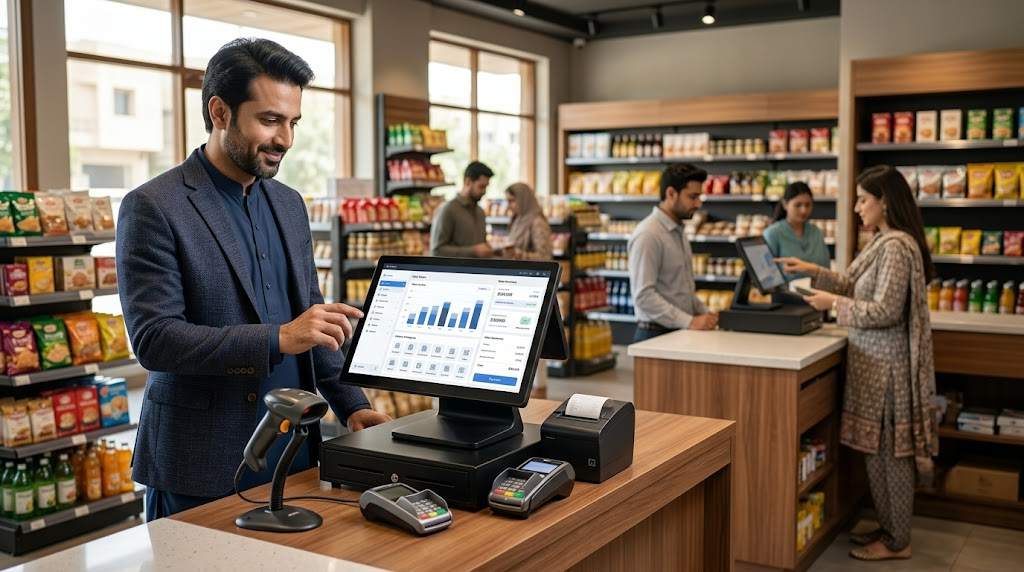
Choosing a POS system is one of the most important technology decisions a Pakistani business owner will make. The right system speeds up billing, cuts inventory errors, and gives you real-time visibility into sales. The wrong one creates daily friction for your staff and customers.
This guide walks you through the decision step by step — so you can pick a system that fits your business today and grows with you.
Step 1: Map how your business actually operates
Before looking at hardware, answer these questions honestly:
- How many transactions do you handle during peak hours?
- Do you sell from a fixed counter, or do you need to move around (tableside ordering, queue-busting, on-floor selling)?
- Do you run a single location or multiple branches?
- Will you sell online as well as in-store?
A busy restaurant in Lahore that takes orders at the table has completely different needs than a pharmacy in Karachi scanning hundreds of barcodes a day. Knowing your workflow first prevents you from buying the wrong device.
Step 2: Choose between mobile, desktop, or hybrid
POS hardware in Pakistan falls into three categories:
| Type | Best For | Sabify Devices | | --- | --- | --- | | Mobile POS | Restaurants, cafes, pop-ups, queue-busting | V2 PRO, V2s, V2s PLUS, V3 | | Desktop POS | Busy retail counters, supermarkets, bakeries | T3 PRO, T2s, T2 MINI | | Hybrid | Multi-format businesses | V3 MIX |
Mobile devices run on battery and connect via Wi-Fi or 4G. Desktop terminals sit on your counter and handle high-volume scanning. Hybrid devices like the V3 MIX work as both — docked at the counter during the day, carried to events or pop-ups at night.
If you are not sure which one you need, book a free demo and we will walk you through the options on your actual products.
Step 3: Check the non-negotiable features
Regardless of which device you choose, your POS software must include these capabilities:
- Real-time inventory sync — stock levels should update instantly across your physical store and e-commerce website. Overselling online because your POS did not update is a preventable problem.
- FBR e-invoicing (PRAL integration) — mandatory for most sales-tax registered businesses in Pakistan. Your POS should submit invoices to FBR in real time and print the QR code on receipts. Read our FBR e-invoicing guide for details.
- Multi-payment support — cash, debit/credit cards, and mobile wallets. Sabify POS supports all major payment methods including split payments and credit limits for regular customers.
- Offline mode — sales should not stop when the internet does. Sabify works fully offline and syncs data automatically when the connection returns.
- Customer database and loyalty — repeat customers drive most retail revenue. Sabify includes loyalty cards, customer discounts, and purchase history tracking out of the box.
- Readable reports — daily, weekly, and monthly sales summaries that a non-accountant can understand. See how smart POS data can grow your business.
Step 4: Ask these questions before you sign
Before committing to any vendor, get clear answers on these:
- What happens to my data if I cancel? You should be able to export your product list, sales history, and customer data.
- Is the subscription monthly or locked in? Flexible monthly plans let you test the system without a large upfront commitment.
- Do you offer local support in my city? A POS system is only as good as the support behind it. Sabify provides 16/7 support in Urdu and English across 6+ regions in Pakistan.
- Can I import my existing product list? Re-entering hundreds of products manually is a waste of time. Ask about CSV import and bulk upload.
- Does it integrate with my accountant's software? Sabify integrates with QuickBooks, making bookkeeping straightforward.
Step 5: Think about scale from day one
A system that works for one counter might break down when you open a second branch. Look for:
- Multi-store management — manage all branches from a single dashboard
- Role-based access — give cashiers, managers, and owners different permission levels
- Barcode support — multiple barcodes per product, barcode nomenclatures, and dynamic barcodes
- Hardware flexibility — add receipt printers, barcode scanners, and weighing scales as you grow
Sabify supports all of this natively. You can start with one device and scale to dozens of locations without changing your POS software.
See Sabify in action
The fastest way to make this decision is to see the software running on your own inventory. Book a free demo and we will bring a device to your location — or connect remotely — and show you the full workflow on your real products.
You can also explore our POS features, hardware range, and pricing plans to learn more.
Tags
Written by
Sabify Team
POS Specialists
Sharing practical insights on POS systems, retail technology, and business growth in Pakistan.
Frequently Asked Questions
What is the best POS system for a small shop in Pakistan?
Do I need a POS that works offline in Pakistan?
What is the difference between mobile POS and desktop POS?
Related Posts
 Business Tips
5 POS Reports Every Pakistani Small Business Owner Should Check Weekly
Most Pakistani businesses collect sales data they never look at. Here are five POS reports that, if reviewed every Monday morning, will quietly grow your revenue and profit margins.
 Restaurants
How POS Systems Transform Restaurant Operations in Pakistan
From table management to kitchen tickets to direct online ordering, a modern restaurant POS changes how every shift runs. Here is what the best Pakistani operators automate — and what they do not.
 Business Tips
FBR E-Invoicing: What Pakistani Businesses Need to Know in 2026
FBR e-invoicing is now mandatory for most sales-tax registered businesses in Pakistan. Here is what the rules say, what your POS needs to do, and how to avoid common compliance mistakes.