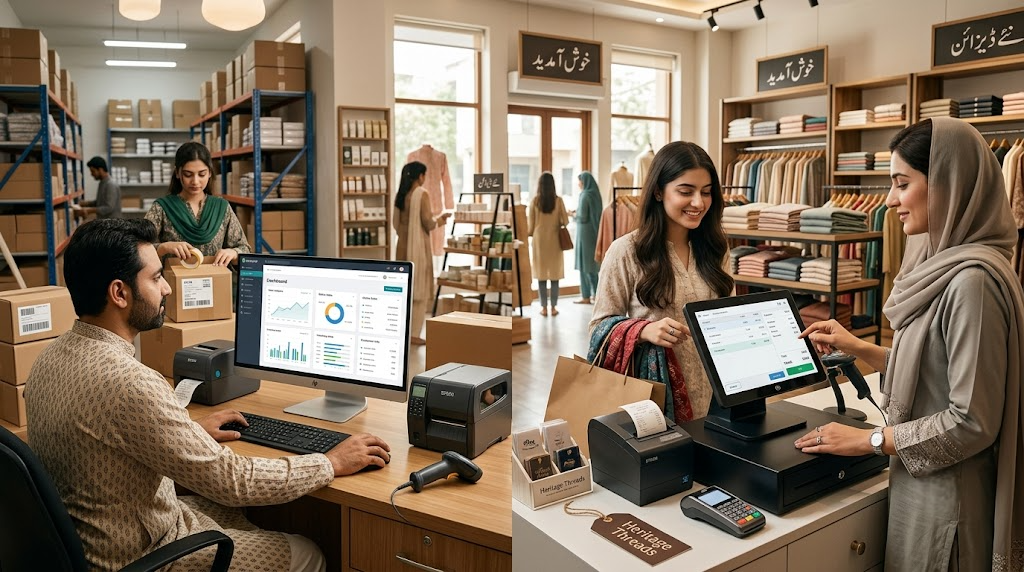
If you sell on Shopify and from a physical store, you have probably hit the classic problem: your Shopify store says an item is in stock, but your warehouse is empty. Or the opposite — you have 50 units on the shelf, but your website says "out of stock."
Both scenarios cost you money. Overselling leads to cancelled orders and angry customers. Understocking online means lost sales you never even knew about.
The fix is a proper POS-Shopify connector. Here is how it works and what to look for.
What a Shopify connector actually syncs
A good integration — like Sabify's Shopify ERP Connector — keeps four things aligned in real time:
- Inventory levels — every sale in-store reduces your Shopify stock; every online order reduces your in-store stock. No manual updates, no spreadsheets, no end-of-day batch uploads.
- Products — name, price, SKU, images, and variants stay identical on both sides. Change a price in your POS, and your Shopify store updates within seconds.
- Orders — online orders appear in your POS dashboard so you can pick, pack, and fulfill them from the same screen you use for walk-in customers.
- Customers — a customer who buys online once is in your POS database forever. Their purchase history, preferences, and contact details are unified across channels.
How the sync works
There are three common architectures:
| Method | How It Works | Trade-offs | | --- | --- | --- | | Webhook-based | Your POS listens for Shopify webhooks and pushes updates back | Near-real-time, robust, handles high volume | | Polling | Your POS asks Shopify for changes every N minutes | Simpler, but has a lag (5-15 minutes typical) | | Middleware | A third-party service sits between them | Easy to set up, but adds ongoing cost and a point of failure |
Sabify's connector uses webhooks for orders and products, with a small polling loop for inventory reconciliation as a safety net. This means your stock levels stay accurate even if a webhook is missed.
All API communication is secured with Bearer token authentication and SSL encryption, with Shopify webhook signature verification to prevent tampering.
Real scenarios this unlocks
Buy online, pick up in store (BOPIS)
Customers order on your Shopify store and collect from your physical location. Your staff sees the order in Sabify POS, picks the items, and marks it as fulfilled. The customer gets a notification when it is ready.
This works especially well for Pakistani businesses where delivery times can be unpredictable — customers get their items faster, and you save on delivery costs.
Endless aisle
When an item is out of stock in your store, your staff can order it for the customer from your Shopify site — right from the POS terminal. No commission, no redirecting the customer to a third-party platform. The sale stays yours.
Unified loyalty
The same loyalty points and customer discounts work whether the customer shops on Instagram, your Shopify store, or walks into your Lahore branch. Sabify's customer management system tracks everything in one database.
Centralized reporting
See total revenue across online and offline channels in one dashboard. No more adding up Shopify reports and POS reports manually. Sabify's analytics dashboard shows the complete picture.
Common pitfalls to avoid
SKU mismatches
The single biggest cause of sync failures. The SKU in your POS must exactly match the SKU in Shopify — same characters, same format, no extra spaces. If your POS has "SHIRT-BLU-L" but Shopify has "shirt-blu-l", the sync will fail.
Fix: Standardize your SKU format before connecting and do a one-time audit.
Multi-location inventory
If you have more than one store, decide upfront which location "owns" which stock. Shopify tracks inventory per location — your POS needs to map correctly.
Refund handling
Decide before going live: when you process a refund in your POS, should it also refund the original Shopify order? Or only the in-store portion? Get this wrong and your accounting will not match.
Product variants
If your Shopify store uses product variants (size, color, material), make sure your POS maps each variant to the correct SKU — not just the parent product.
Getting started
Sabify's Shopify ERP Connector includes:
- Real-time two-way sync for inventory, orders, products, and customers
- Webhook-based architecture with polling reconciliation
- Secure authentication (Bearer tokens, SSL, webhook signature verification)
- Fulfillment automation — update order status from your POS
- Detailed logging for audit and troubleshooting
Pricing starts at $39/month with a 14-day free trial. Pro plan ($79/month) adds multi-location sync and priority support. Enterprise pricing is available for large operations.
The fastest way to understand the value is to watch stock move between Shopify and your POS in real time. Book a demo and we will connect a test Shopify store to Sabify on the call — you will see orders, inventory, and customer data sync live.
You can also explore Sabify's full e-commerce features or read our guide on choosing the right POS system for your business.
Tags
Written by
Sabify Team
Integrations
Sharing practical insights on POS systems, retail technology, and business growth in Pakistan.
Frequently Asked Questions
How do I sync Shopify inventory with my POS in Pakistan?
Can I fulfill Shopify orders from my physical store?
How much does Sabify's Shopify integration cost?
Related Posts
 Business Tips
5 POS Reports Every Pakistani Small Business Owner Should Check Weekly
Most Pakistani businesses collect sales data they never look at. Here are five POS reports that, if reviewed every Monday morning, will quietly grow your revenue and profit margins.
 Restaurants
How POS Systems Transform Restaurant Operations in Pakistan
From table management to kitchen tickets to direct online ordering, a modern restaurant POS changes how every shift runs. Here is what the best Pakistani operators automate — and what they do not.
 Business Tips
FBR E-Invoicing: What Pakistani Businesses Need to Know in 2026
FBR e-invoicing is now mandatory for most sales-tax registered businesses in Pakistan. Here is what the rules say, what your POS needs to do, and how to avoid common compliance mistakes.